 LayMesh
LayMesh#
Plot data and compose precise, reproducible scientific figures in readable code. Combine native plots, images, vector shapes, text and formulas in one .lay file, then export SVG, PDF, or PNG, JPEG, TIFF, WebP and other images at your chosen DPI.
Documentation · 中文 · Feature gallery · Installation
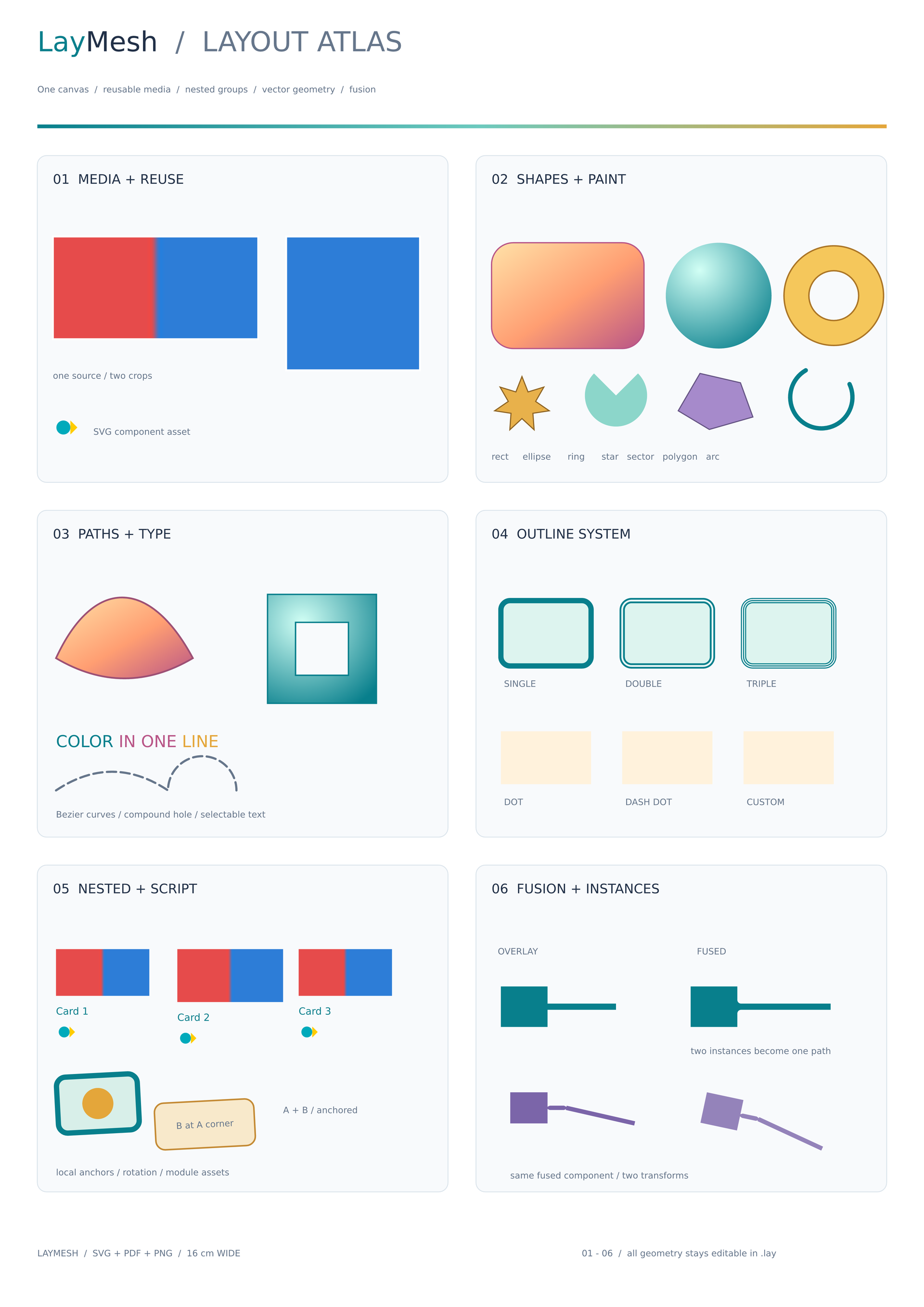
Showcase source · Scientific plot examples
VS Code (recommended)#
Install LayMesh by Hyacine from Extensions, or use Extensions: Install from VSIX with a platform package. Windows x64 and Linux x64 packages include the native engine: no Python, Rust or npm installation is needed. With Remote SSH, install the package matching the remote extension host.
Open a trusted local or Remote SSH folder and save this as figure.lay:
page = canvas(size=(15cm, 10cm), unit="cm", background="#ffffff")rec = rect(size=(2cm, 2cm), fill="#888888")page.add(rec, offset=(0.1cm, 0.1cm))Click the preview icon or run LayMesh: Open Preview for a live figure beside the source. Ctrl+Space completes variables and members; hover shows types; F12 goes to a definition; Shift+F12 finds workspace references and F2 renames a binding. Unsaved edits refresh the preview. See the extension guide for rulers, navigation and platform packages.
Python and CLI installation#
Requires Python 3.10+. 0.3.1 is published on PyPI, shared by Python and Rust, with the new image formats and configurable export options. Install from PyPI:
python -m pip install laymeshpython -m laymesh --versionPlatform wheels bundle the native Rust engine and formula fonts for the CLI, Python API and Jupyter magics. Rendering requires no Rust compilation and downloads no engine or fonts. You can also install a locally built wheel.
The standard installation includes NumPy, pandas, Matplotlib and IPython. Data bindings, Matplotlib Figure import and Jupyter magics are ready to use.
Supported wheel platforms are Windows x64, macOS 14+ on Intel / Apple Silicon, and Linux x64 / arm64. Published Linux wheels require glibc 2.35+. All five 0.3.1 platforms passed checks on Python 3.10, 3.13 and 3.14. The Windows wheel statically links its runtime and needs no separate Visual C++ Redistributable; see the release procedure. Body fonts come from the system or user-provided files; missing glyphs warn and display vector boxes. Supply the fonts with your figure for reproducible rendering across machines.
First figure#
Save this complete source as figure.lay. Geometry defaults to mm; type and stroke sizes default to pt. Explicit mm/cm/in/pt/px units are also supported.
page = canvas(size=(120 mm, 90 mm), background="#ffffff")p = plot(size=(110 mm, 80 mm), x=axis(label="Time (s)"), y=axis(label="Signal"))p.line(x=[0, 1, 2, 3], y=[1, 3, 2, 4], label="Experiment")p.legend(position="top_left")page.add(p, offset=(5 mm, 5 mm))laymesh validate figure.laylaymesh inspect figure.lay --jsonlaymesh render figure.lay -o figure.svglaymesh render figure.lay -o figure.pdflaymesh render figure.lay -o figure.png --dpi 300laymesh render figure.lay -o figure.jpg --dpi 300 --quality 95laymesh render figure.lay -o figure.tif --dpi 600 --compression lzwlaymesh render figure.lay -o figure.webp --dpi 300 --webp-lossless false --quality 90 --webp-method 6python -m laymesh invokes the same CLI and works when the command is absent from PATH. --dpi changes raster pixel dimensions while preserving physical page size. .lay is a restricted standalone language that does not execute arbitrary Python or JavaScript code.
The VS Code preview Export button and LayMesh: Export Figure command support the same formats and options, using unsaved buffers. Formats, transparency and all options.
Python and Jupyter#
Render the file you just saved through the Python API:
from laymesh import render_file result = render_file("figure.lay", output="figure.pdf")print(result.output)render_source(source, namespace=..., save_source=...) accepts inline source, binds arrays, dictionaries, DataFrames or Matplotlib Figures, and saves layouts and data assets for independent CLI rendering. See the Python API, native data bindings and saving source for complete examples.
Install LayMesh in the Notebook's Python environment, then run a registration cell:
%load_ext laymesh.ipythonvalues = [1, 3, 2, 4]Use a separate cell to plot, preview and export:
%%laymesh -o notebook.pdf --save-source notebook.laypage = canvas(size=(120 mm, 90 mm))p = plot(size=(110 mm, 80 mm))p.line(x=[0, 1, 2, 3], y={{values}})page.add(p, offset=(5 mm, 5 mm)){{values}} reads the Python variable. Preserve notebook.lay and the generated notebook.assets/, then run laymesh render notebook.lay -o notebook.svg. The Notebook guide covers line magic, warning controls and other options.
Capabilities and examples#
| Capability | Usage and runnable examples |
|---|---|
| Precise composition | Physical units, nine anchors, cropping, rotation, opacity and groups: basic layout |
| Scientific plots | Lines, scatter, uncertainty, bars, statistics, heatmaps and contours: native plotting |
| Panels and coordinates | Named axes, breaks, shared color scales, polar and radar charts: Cartesian · polar |
| Colors and series | Dictionary loops, multiple series and 87 colormap presets: dictionary plot · colormaps |
| Vectors and typography | Paths, gradients, outline fusion, text and formulas: vectors · typography |
| Reuse and editing | Functions, local modules, LCSS themes, browser and VS Code completion: language reference · editors |
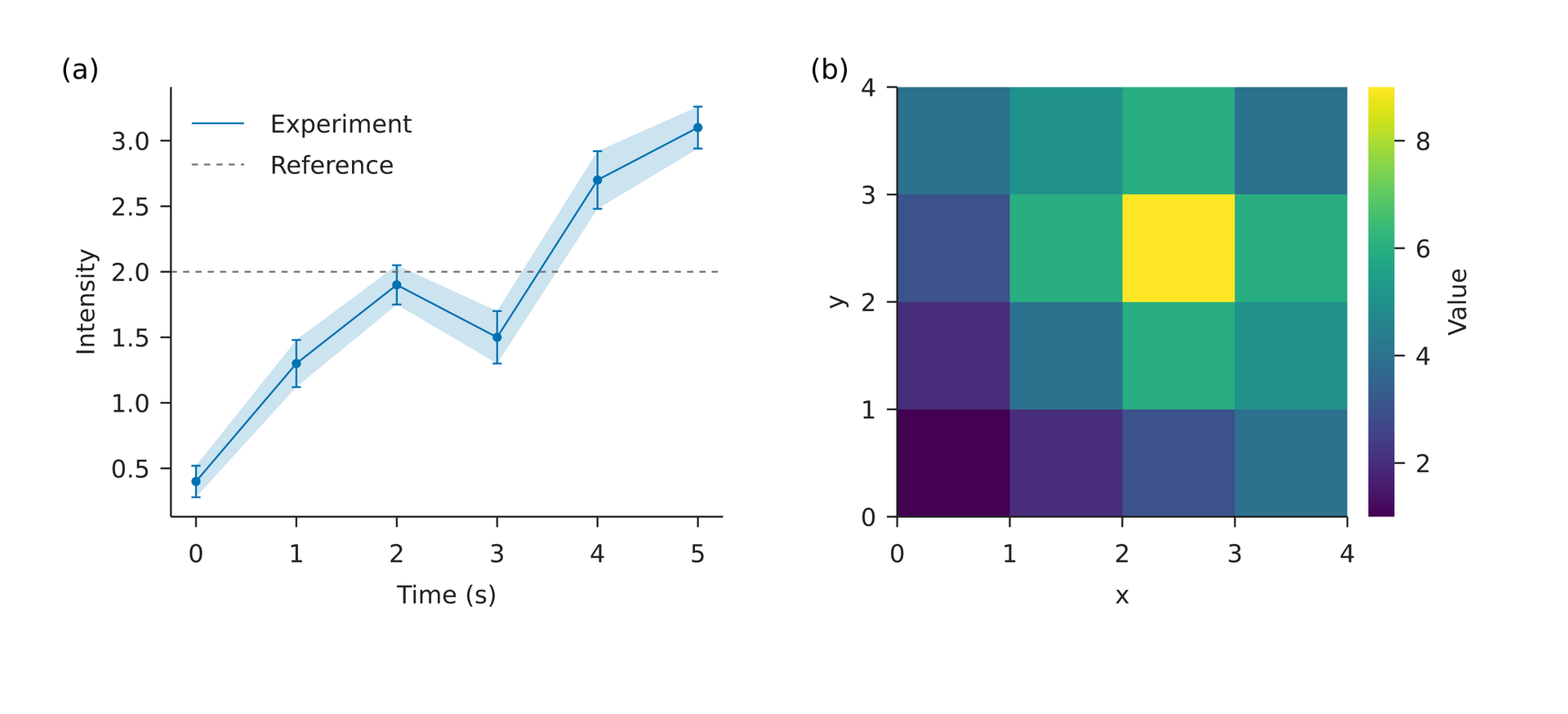
Finish chart layers and decorations before the first placement; panels use explicit positioning. Each layout produces one page. Fixed plot areas retain their physical dimensions; insufficient decoration space warns. Image inputs include PNG, JPEG, BMP, WebP, GIF, ICO, PNM, TGA, safe SVG and single-page unsigned 8/16-bit grayscale/RGB TIFF, including alpha. GIF and animated WebP use the first frame; 16-bit inputs retain their intensity range without automatic contrast stretching. Native RaTeX typesets formulas without a TeX installation. See the feature coverage map for detailed scope.
Documentation and development#
Getting started · Language reference · API · Architecture · Examples and recorded results
Source development requires Rust 1.93.1; build and release scripts require Python 3.11+. From the repository root:
cargo build --release --locked -p laymesh-clipython -m pip install -e './python'python -m laymesh render examples/basic.lay -o basic.pdfcargo test --workspace --lockedpython -m unittest discover -s python/tests -vFor direct native use, invoke target/release/laymesh (laymesh.exe on Windows). The release procedure covers wheel builds, audits, isolated installation checks and PyPI Trusted Publishing. Build the documentation site with python scripts/build-docs.py; the GitHub Pages workflow publishes it.
LayMesh is MIT licensed. Native dependencies, formula fonts and colormap data retain their own licenses; see third-party notices.