 LayMesh
Library documentation comments#
Place consecutive ## comments directly before a function or variable declaration to supply completion details, hover help and call documentation in the website and VS Code. Comments are analyzed statically: they do not change rendering or execute example code.
Functions and parameters#
This complete function can live in a component module. The first paragraph is the purpose summary; subsequent paragraphs support Markdown. Calls also show documentation for the current parameter.
## Create a titled rectangle panel as reusable material.#### Place it with `page.add`, then use the instance anchors for other content.## @param {string} title - Panel title, supporting inline mathematics.## @param {size} size - Physical dimensions; bare numbers use the canvas unit.## @returns {group} A group containing the rectangle and title.## @example## panel = titled_panel("Result", size=(40, 25))export function titled_panel(title, size=(40, 25)) { panel = group() panel.add(rect(size=size)) panel.add(text(title), offset=(2, 2)) return panel}Parameter order, requiredness and defaults come from the declaration. Do not duplicate them in comments. {type} is optional documentation for readers and editors, not a new runtime type constraint. Describe units, allowed values and limitations in the parameter text.
Tags and variables#
| Syntax | Purpose |
|---|---|
@param {type} name - description |
Named or positional parameter documentation; type is optional |
@returns {type} description |
Return value documentation; type is optional |
@type {type} |
A variable's displayed type |
@example |
Following comment lines become LayMesh example code until the next tag or the end of the block |
@lang zh-CN / @lang en |
Start a language section |
@see |
Related information or a Markdown link; repeatable |
## Default accent color for panels.## @type {color}export accent = "#245447"Descriptions may continue on subsequent lines. The documentation block must immediately precede its declaration. Use a bare ## for an empty documentation line; a genuinely blank source line detaches the block. Ordinary # comments remain ordinary comments. Local functions and variables without export use the same syntax.
After ## , press Ctrl+Space for a template based on the following declaration. After ## @, complete a tag; after ## @param , complete an undocumented parameter name.
Unknown parameter names, duplicate parameter or single-value tags, and unsupported tags produce W_DOC editor warnings. These warnings do not block rendering. Undocumented functions still show signatures extracted from their declarations.
Multilingual documentation#
Use @lang to provide separate language versions for one declaration. Each section lasts until the next @lang or the end of the documentation block. Summaries, parameters, returns, examples and related links can all have localized versions.
## @lang zh-CN## 创建带标题的面板。## @param {string} title - 面板标题。## @returns {group} 可重复放置的组合。## @lang en## Create a titled panel.## @param {string} title - Panel heading.## @returns {group} A reusable group.export function titled_panel(title) { panel = group() panel.add(rect(size=(40, 25))) panel.add(text(title), offset=(2, 2)) return panel}The website and IDE show one language at a time; see help language. Each missing field falls back in order: requested language, untagged original, English, then the first available version in source order. Examples and related links are selected as separate lists. No automatic translation takes place. Existing untagged comments remain valid; default text can precede the first language tag.
zh and Chinese regional tags normalize to zh-CN; English regional tags normalize to en. Other valid language tags remain available as authored fallbacks. Each normalized language may occur only once per documentation block. Repeating a parameter in different languages is valid; duplicate tags within one language produce warnings. Names, defaults and types stay unchanged. Conflicting types produce W_DOC; the editor retains the first declared type without affecting execution.
After ## , press Ctrl+Space for a bilingual documentation template. ## @lang offers zh-CN and en. Parameter-name completion excludes only parameters already documented in the current language section. Exported variables can likewise provide separate descriptions with the same @type.
Modules and presentation#
Documentation follows actual imports, including aliases. Editing a module's comments or parameter defaults refreshes help in both editors without rendering the figure. Local functions with the same name use their own scope. Recognizable declarations remain available while code is incomplete.
Authored comments use the language and fallback rules above; built-in help follows the website or editor language. Paragraphs, lists, emphasis, code blocks and links are supported. The website does not execute comment HTML or load remote images.
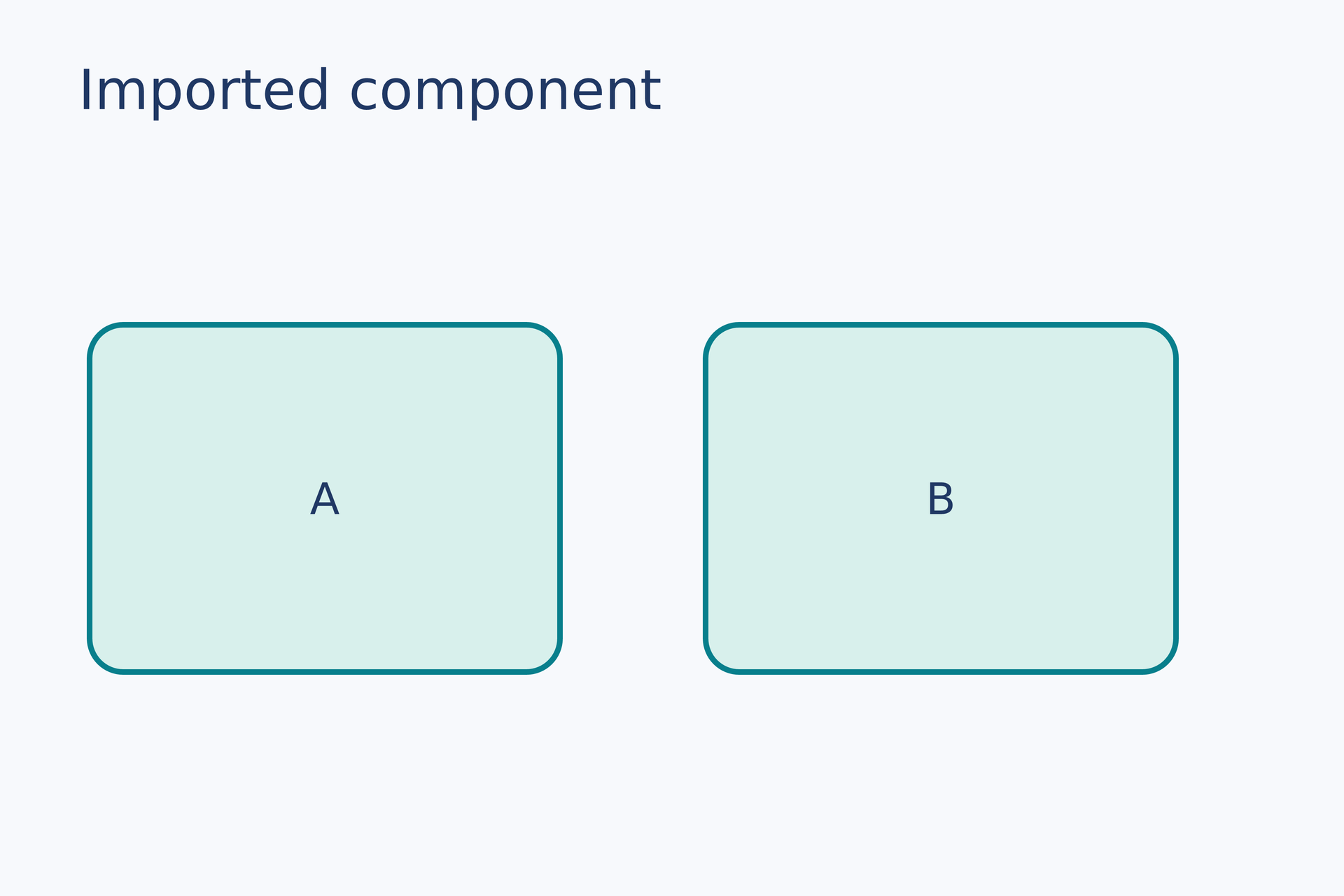
The example below includes a documented card-component.lay. Switch files to read it, then view parameter help at a card(...) call in the entry file.
first = page.add(card("A"), target=page.top_left, offset=(8 mm, 29 mm))page.add(card("B"), target=first.top_right, offset=(13 mm, 0 mm))# Gallery: containers / module-importimport { card } from "./card-component.lay"page = canvas(name="Imported component", size=(120 mm, 80 mm), background="#f7f9fc")font = "DejaVu Sans"heading = text(content="Imported component", font_family=font, font_size=14 pt, color="#203864")page.add(heading, target=page.top_left, offset=(7 mm, 5 mm))# BEGIN DEMOfirst = page.add(card("A"), target=page.top_left, offset=(8 mm, 29 mm))page.add(card("B"), target=first.top_right, offset=(13 mm, 0 mm))# END DEMO## @lang zh-CN## 创建圆角卡片,并将标题放在中央。## @param {string} label - 标题文字;支持行内公式。## @returns {group} 可重复放置的卡片,宽 42mm、高 31mm。## @example## item = card("结果")## @lang en## Create a rounded card with a centered caption.## @param {string} label - Caption text; supports inline mathematics.## @returns {group} Reusable card material, 42mm wide and 31mm high.## @example## item = card("Result")export function card(label) { item = group() plate = item.add(rect(size=(42 mm, 31 mm), border_radius=3 mm, fill="#d8f0ec", border_color="#087f8c", border_width=0.5 mm), target=item.top_left) item.add(text(content=label, font_family="DejaVu Sans", font_size=11 pt, color="#203864"), anchor=center, target=plate.center) return item}Preview
Dependencies
examples/gallery/containers/card-component.layexamples/gallery/containers/module-import.lay
Functions and modules · Editors and keys · Public parameters
workflow#
Complete sources and executable verification fixtures for this workflow are listed in the feature coverage map. Follow this page’s input conditions and limits when composing features.