 LayMesh
Your first layout#
Purpose and concepts#
Start with a page, cards and a title to see absolute offsets and relative placement. Page size uses physical lengths; the origin is top left, x points right and y points down.
Minimal complete example#
Run this file directly with laymesh validate or laymesh render; it contains its own canvas and required definitions.
# Minimal complete example: addpage=canvas(size=(100mm,75mm),background="#ffffff")material=rect(size=(25mm,18mm),fill="#087f8c")a=page.add(material,offset=(10mm,10mm))page.add(material,anchor=top_left,target=a.bottom_right,offset=(3mm,3mm))# Minimal complete example: addpage=canvas(size=(100mm,75mm),background="#ffffff")material=rect(size=(25mm,18mm),fill="#087f8c")a=page.add(material,offset=(10mm,10mm))page.add(material,anchor=top_left,target=a.bottom_right,offset=(3mm,3mm))Preview

Dependencies
examples/manual/add.lay
Parameters and default behavior#
Unitless geometry uses the canvas unit; unitless type and stroke sizes use pt. Explicit call parameters override inherited/theme defaults. The linked interface reference lists accepted types, choices and defaults per parameter.
Composition#
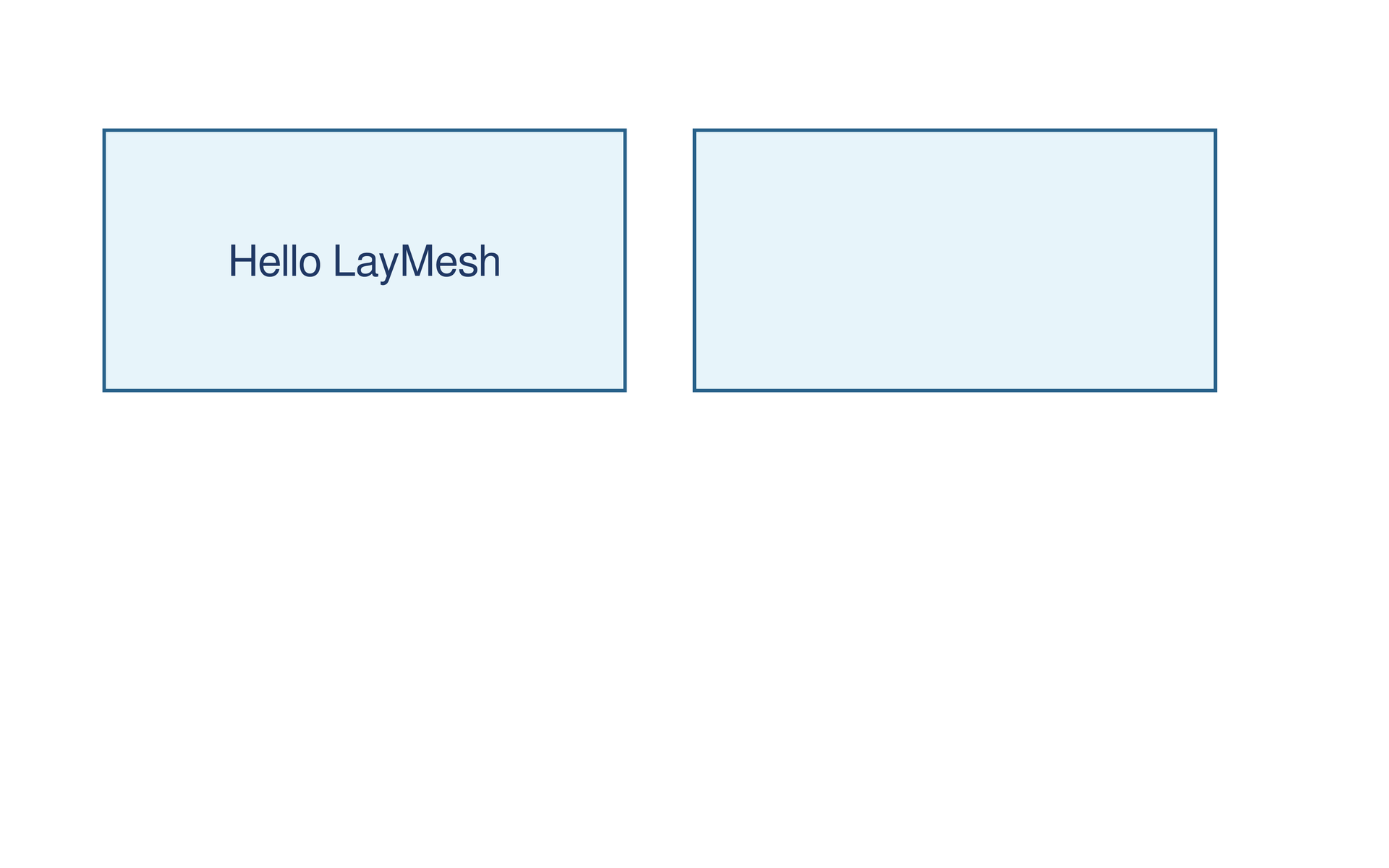
Place the second instance using target=first.bottom_right and offset=(3mm,3mm). Align a title’s center to a card’s center so font changes preserve the relationship.
page = canvas(size=(160 mm, 100 mm), background="#ffffff") card = rect(size=(60 mm, 30 mm), fill="#e7f4fa", border_color="#28618a", border_width=0.4 mm)left = page.add(card, target=page.top_left, offset=(12 mm, 15 mm))page.add(card, target=left.top_right, offset=(8 mm, 0 mm)) title = text(content="Hello LayMesh", font_size=14 pt, color="#203864")page.add(title, anchor=center, target=left.center)page = canvas(size=(160 mm, 100 mm), background="#ffffff") card = rect(size=(60 mm, 30 mm), fill="#e7f4fa", border_color="#28618a", border_width=0.4 mm)left = page.add(card, target=page.top_left, offset=(12 mm, 15 mm))page.add(card, target=left.top_right, offset=(8 mm, 0 mm)) title = text(content="Hello LayMesh", font_size=14 pt, color="#203864")page.add(title, anchor=center, target=left.center)Preview
Dependencies
examples/hello.lay
Common errors and limits#
The default add anchor is top_left, with offsets along container axes. Pages do not grow automatically; objects outside the page can be clipped during export.
Individual functions#
Detailed behavior and further examples#
Parameters#
| Parameter | Purpose | Default or requirement |
|---|---|---|
size |
Physical canvas size | Example: 160 × 100 mm |
anchor |
Instance anchor | top_left |
Materials and instances#
card defines a reusable shape; two page.add(card, ...) calls create separate instances. left.center positions the title at the first instance center. Read and copy the complete source in the source tab.
Export and inspect#
laymesh validate examples/hello.laylaymesh render examples/hello.lay -o hello.svglaymesh render examples/hello.lay -o hello.pdflaymesh render examples/hello.lay -o hello.png --dpi 300