 LayMesh
Strings and mathematical formulas#
Purpose and concepts#
formula accepts LaTeX without dollar delimiters. Raw strings preserve backslashes. inline fits text lines; display uses standalone layout. math_font=ratex_katex is a predefined string alias.
Minimal complete example#
Run this file directly with laymesh validate or laymesh render; it contains its own canvas and required definitions.
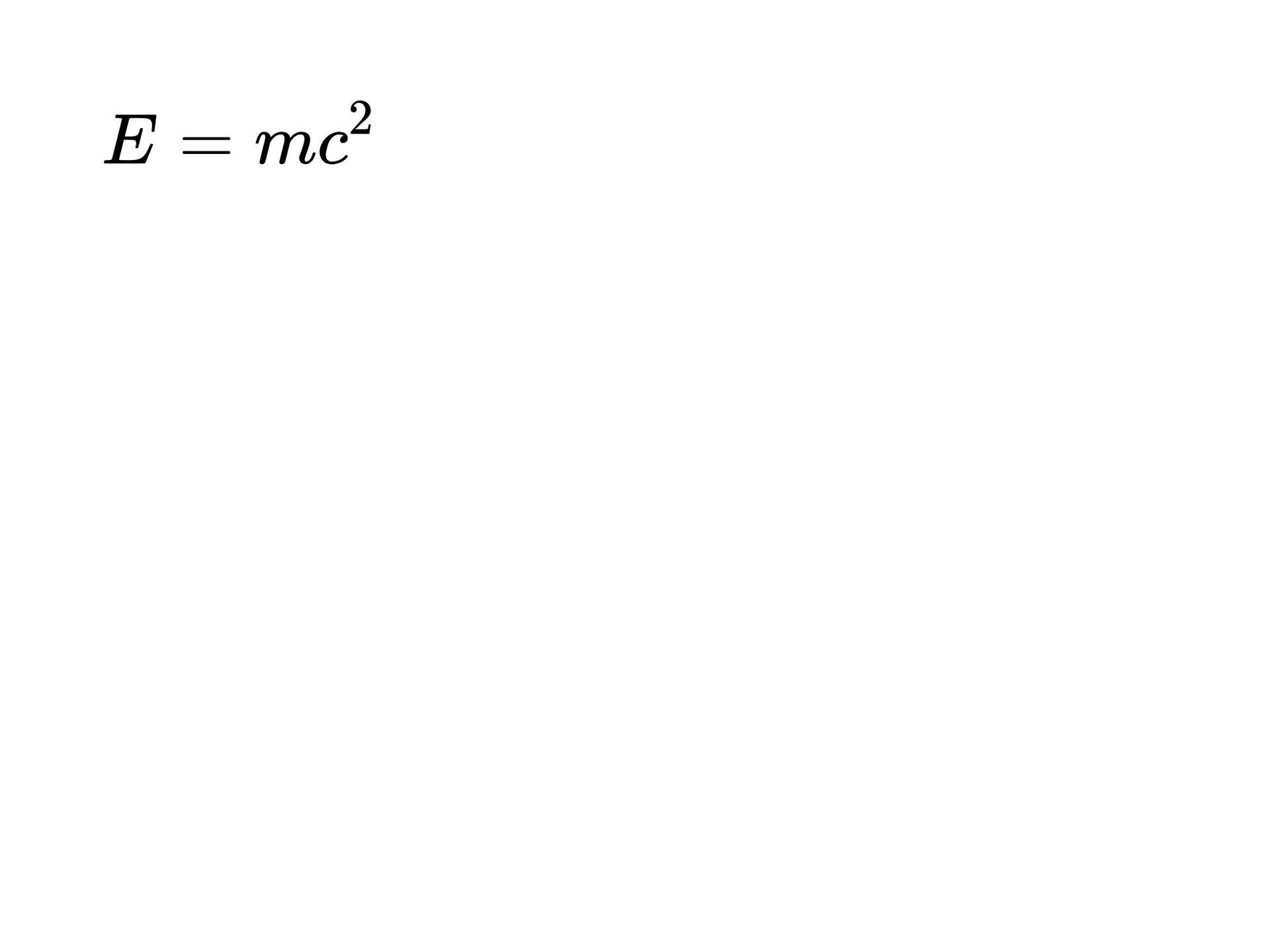
# Minimal complete example: formulapage=canvas(size=(100mm,75mm),background="#ffffff")page.add(formula(r"E=mc^2",style=display,font_size=16pt,math_font=ratex_katex),offset=(8mm,8mm))# Minimal complete example: formulapage=canvas(size=(100mm,75mm),background="#ffffff")page.add(formula(r"E=mc^2",style=display,font_size=16pt,math_font=ratex_katex),offset=(8mm,8mm))Preview
Dependencies
examples/manual/formula.lay
Parameters and default behavior#
Unitless geometry uses the canvas unit; unitless type and stroke sizes use pt. Explicit call parameters override inherited/theme defaults. The linked interface reference lists accepted types, choices and defaults per parameter.
Composition#
text(spans=[...]) combines spans and formulas. Embedded $...$ in ordinary text differs from explicit formula input; use raw/formatted strings deliberately when backslashes or substitutions are involved.
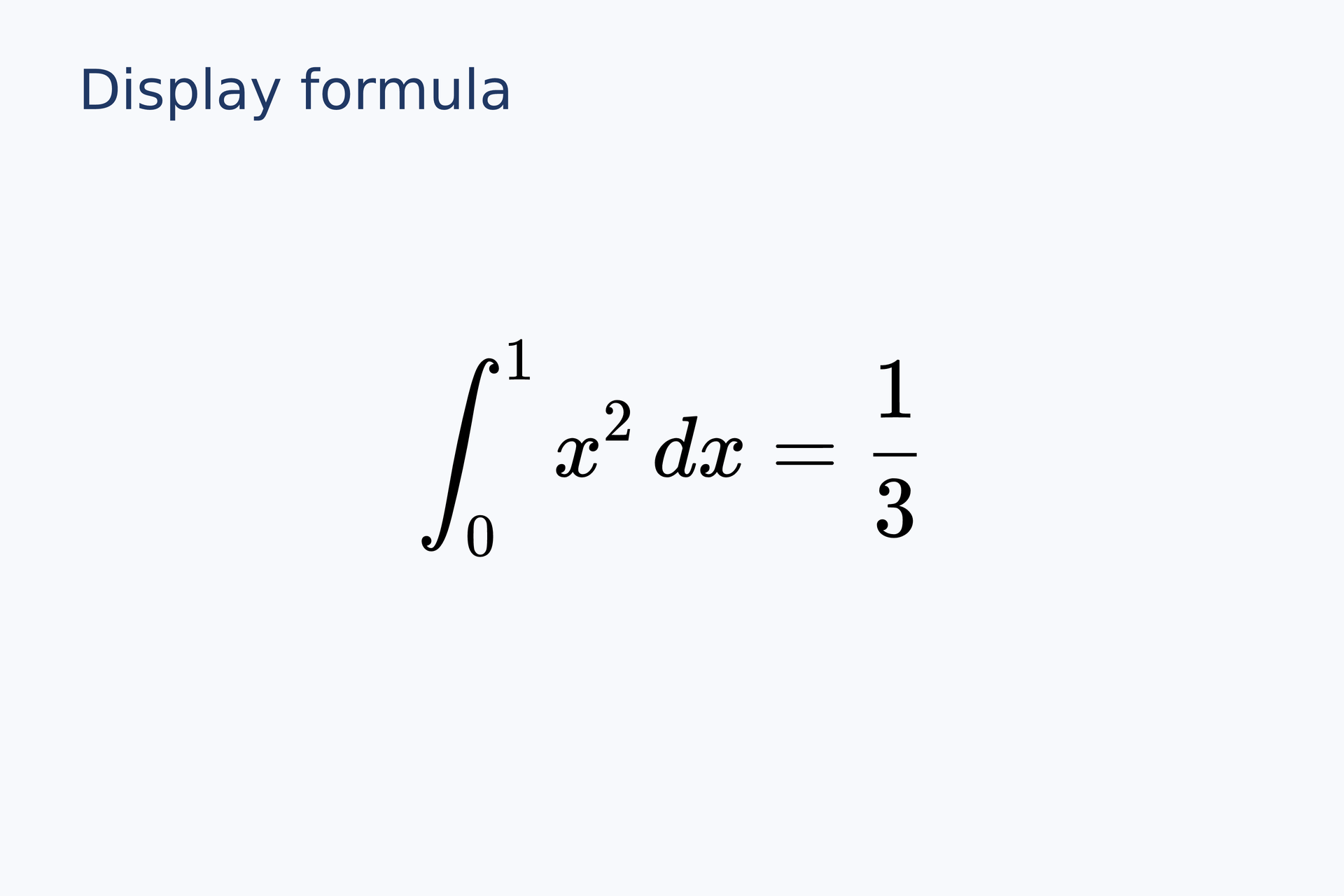
equation = formula(source=r"\int_0^1 x^2\,dx=\frac{1}{3}", font_size=22 pt, style=display)page.add(equation, anchor=center, target=page.center)# Gallery: typography / display-formulapage = canvas(name="Display formula", size=(120 mm, 80 mm), background="#f7f9fc")font = "DejaVu Sans"heading = text(content="Display formula", font_family=font, font_size=14 pt, color="#203864")page.add(heading, target=page.top_left, offset=(7 mm, 5 mm))# BEGIN DEMOequation = formula(source=r"\int_0^1 x^2\,dx=\frac{1}{3}", font_size=22 pt, style=display)page.add(equation, anchor=center, target=page.center)# END DEMOPreview
Dependencies
examples/gallery/typography/display-formula.lay
Common errors and limits#
The math engine rejects external resources, require and custom macros. Legacy mathjax font names warn and map to the current default. Formula colors support the same spaces as ordinary text.
Individual functions#
formula#
Create formula material from LaTeX without dollar delimiters, or a run in text. Raw strings preserve backslashes; style selects inline/display layout.
Returns: material
Required inputs: source.
Minimal complete source · Composition source · All parameters
Detailed behavior and further examples#
Ordinary and raw text#
page = canvas(size=(150, 100))page.add(text("Energy $E=mc^2$", font_size=10), offset=(5, 5))page.add(text(r"Literal $E=mc^2$"), offset=(5, 20))page.add(formula(r"\frac{a}{b}", font_size=12), offset=(5, 35))Write LaTeX backslashes directly inside math, for example axis(label="$\frac{\Delta E}{k_B T}$"). Single, double and triple-quoted multiline strings are supported. The r prefix preserves raw text and disables automatic math; explicit formula(r"…") still renders math. Resource paths never undergo math detection.
Interpolation#
score = 0.975label = f"Fit: $R^2={score:.3f}$"literal = rf"Score {score:.2%}; literal $R^2$"Braces accept DSL expressions. Numeric formatting supports common f, e, g, %, d, precision, signs and alignment. {{ and }} produce literal braces. rf interpolates without automatic math. Interpolation executes neither Python nor JavaScript.
Mixed content and inheritance#
In text(spans=[span("Ratio: "), formula(r"\frac{a}{b}")], font_size=12, color="#245447"), a formula without an explicit size or color inherits those of its text. An explicit span font list replaces its parent's list. Math uses the KaTeX formula fonts embedded by RaTeX; font_family controls ordinary text.
SVG/PDF formulas are vectors; SVG metadata retains LaTeX source. Formula errors carry source locations. RaTeX limitations apply: custom macro definitions and external-resource commands are unavailable. Python {{name}} binding applies only outside DSL strings and comments, so it does not replace these f-string contents.
Fonts · Parameters · Editors
workflow#
Complete sources and executable verification fixtures for this workflow are listed in the feature coverage map. Follow this page’s input conditions and limits when composing features.