 LayMesh
文字与公式#
文字、换行、彩色文字段和两种公式排版形式。
文字#
字体名称与回退#
通过已安装的系统字体或字体文件及有序回退列表排版中英文,保持三个导出后端一致。
label = text(content="Signal 信号: fonts in priority order", font_family=font, font_size=13 pt, color="#087f8c")page.add(label, target=page.top_left, offset=(9 mm, 34 mm))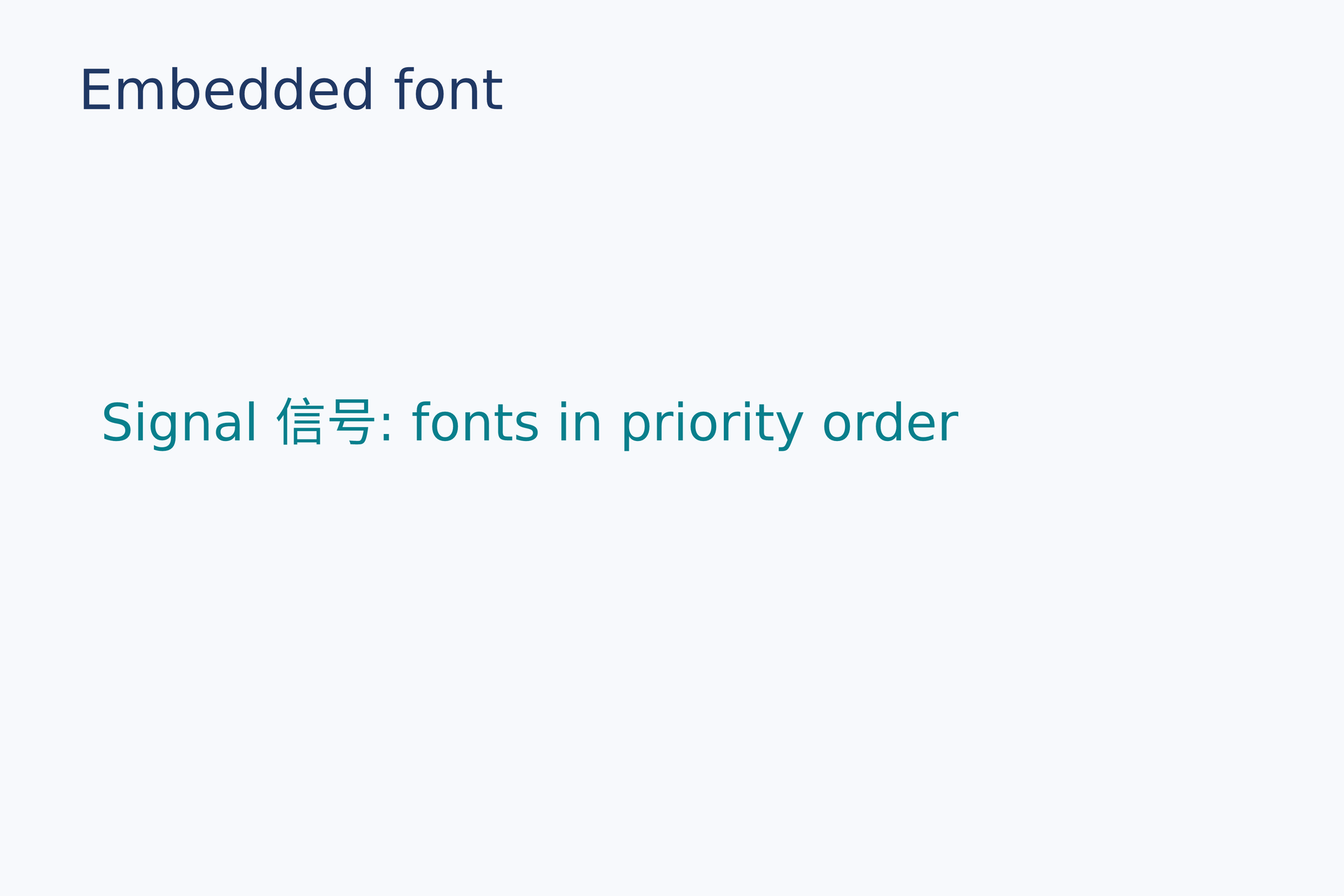
源码:font.lay。
复现命令:laymesh validate examples/gallery/typography/font.lay;laymesh render examples/gallery/typography/font.lay -o font.png --dpi 150。
实测:有效:examples/gallery/typography/font.lay(120 × 80 mm,2 个顶层实例);PNG 709 × 472 px,150 DPI;警告:无。
宽度、换行和对齐#
同一段文字以两种实例宽度居中排版,行数随宽度改变。
body = text(size=(45 mm, auto),content="One reusable sentence wraps at different widths.", font_family=font, font_size=10 pt, align=center, line_height=6 mm, color="#203864")page.add(body, target=page.top_left, offset=(8 mm, 29 mm))page.add(body,size=(57 mm, auto), target=page.top_left, offset=(61 mm, 29 mm))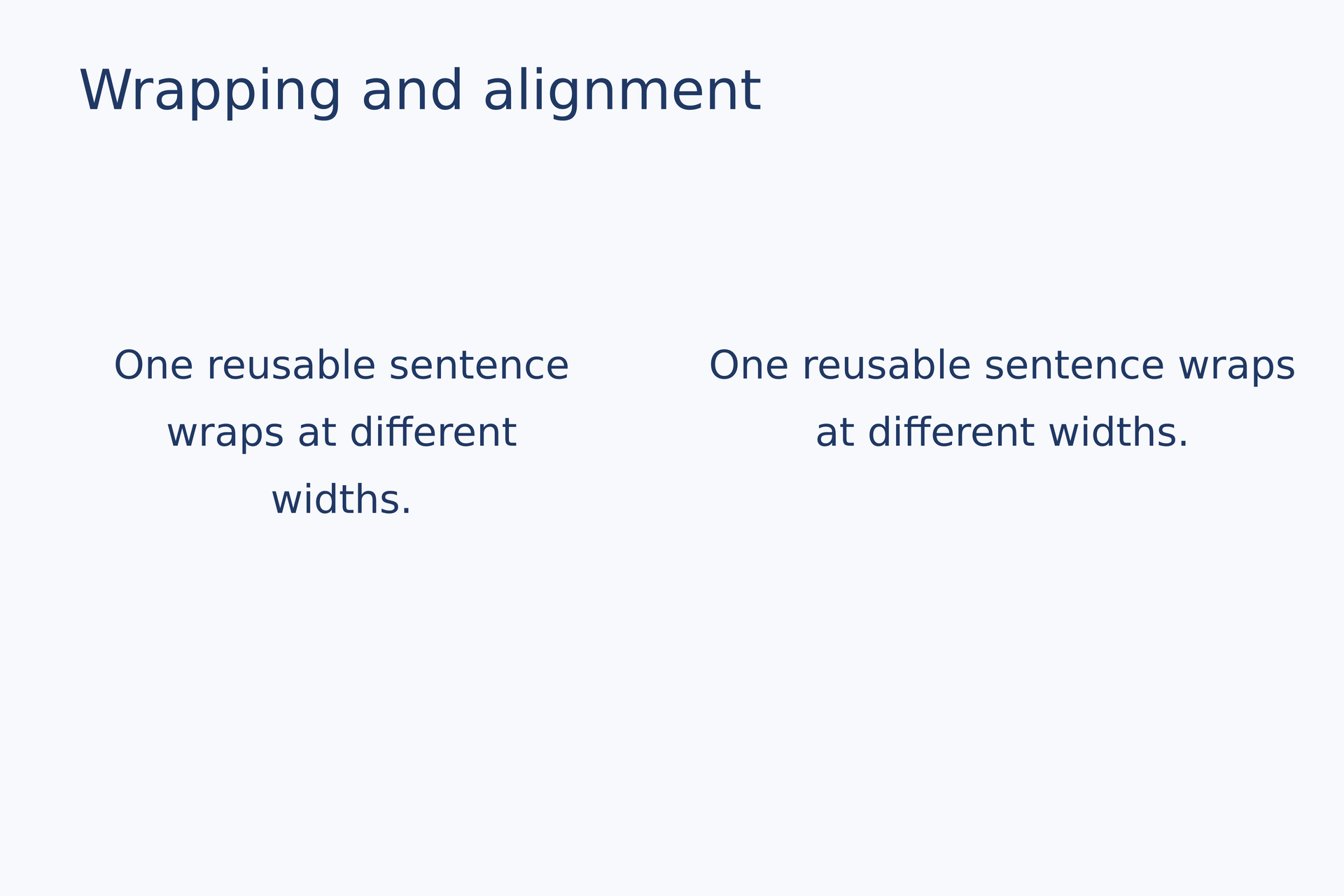
源码:wrap-align.lay。
复现命令:laymesh validate examples/gallery/typography/wrap-align.lay;laymesh render examples/gallery/typography/wrap-align.lay -o wrap-align.png --dpi 150。
实测:有效:examples/gallery/typography/wrap-align.lay(120 × 80 mm,3 个顶层实例);PNG 709 × 472 px,150 DPI;警告:无。
彩色文字段#
同一行内的 span 分别覆盖颜色和字号。
rich = text(spans=[ span("COLOR", color="#087f8c", font_size=16 pt), span(" IN ", color="#203864", font_size=12 pt), span("ONE LINE", color="#e67563", font_size=16 pt)], font_family=font, font_size=12 pt)page.add(rich, target=page.top_left, offset=(12 mm, 35 mm))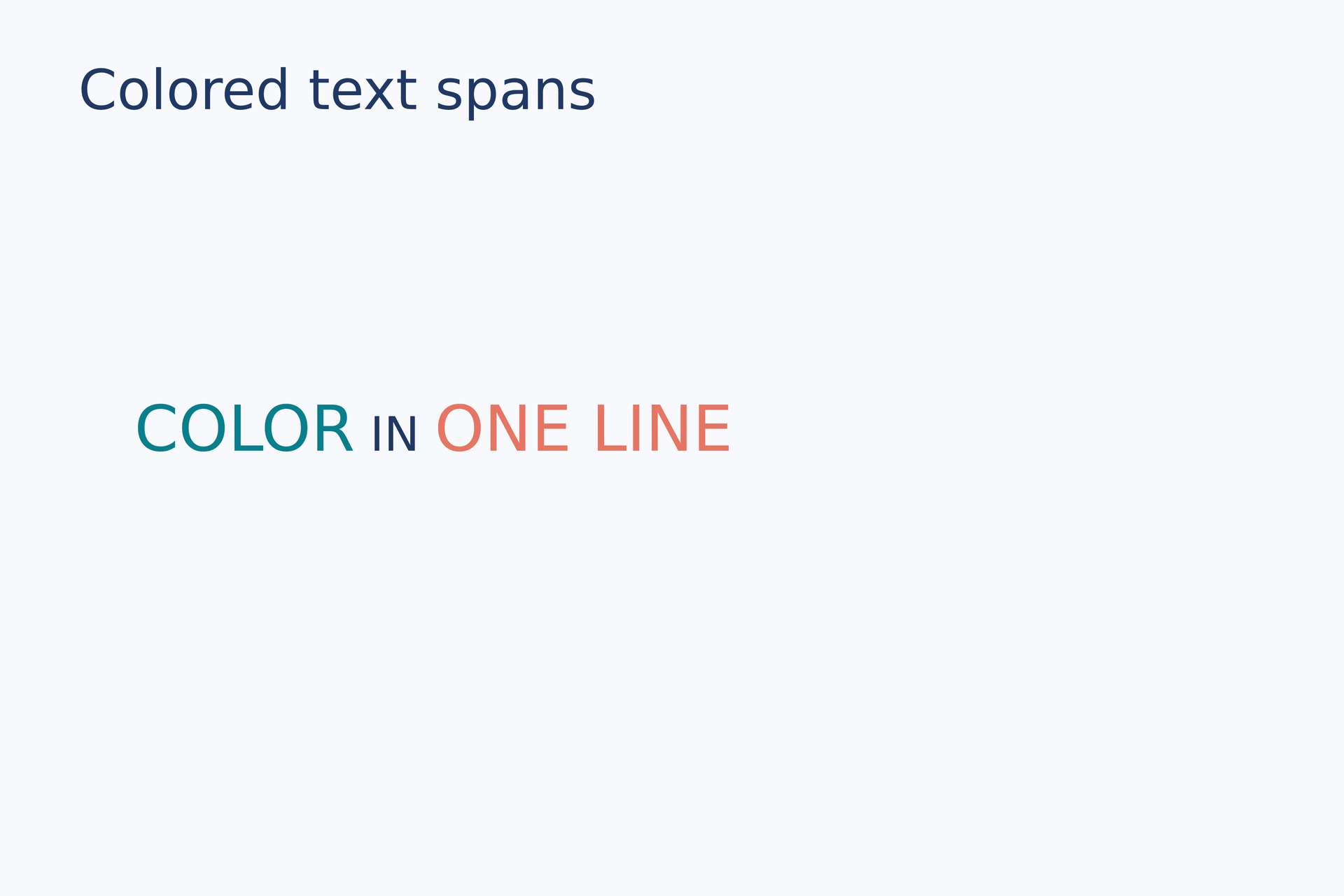
源码:spans.lay。
复现命令:laymesh validate examples/gallery/typography/spans.lay;laymesh render examples/gallery/typography/spans.lay -o spans.png --dpi 150。
实测:有效:examples/gallery/typography/spans.lay(120 × 80 mm,2 个顶层实例);PNG 709 × 472 px,150 DPI;警告:无。
公式#
行内公式#
公式作为 text 中的一段与普通文字共用一行。
sentence = text(size=(98 mm, auto),spans=[ span("Energy: ", color="#203864"), formula(source=r"E=mc^2", font_size=17 pt), span(" in one line", color="#087f8c")], font_family=font, font_size=11 pt)page.add(sentence, target=page.top_left, offset=(10 mm, 34 mm))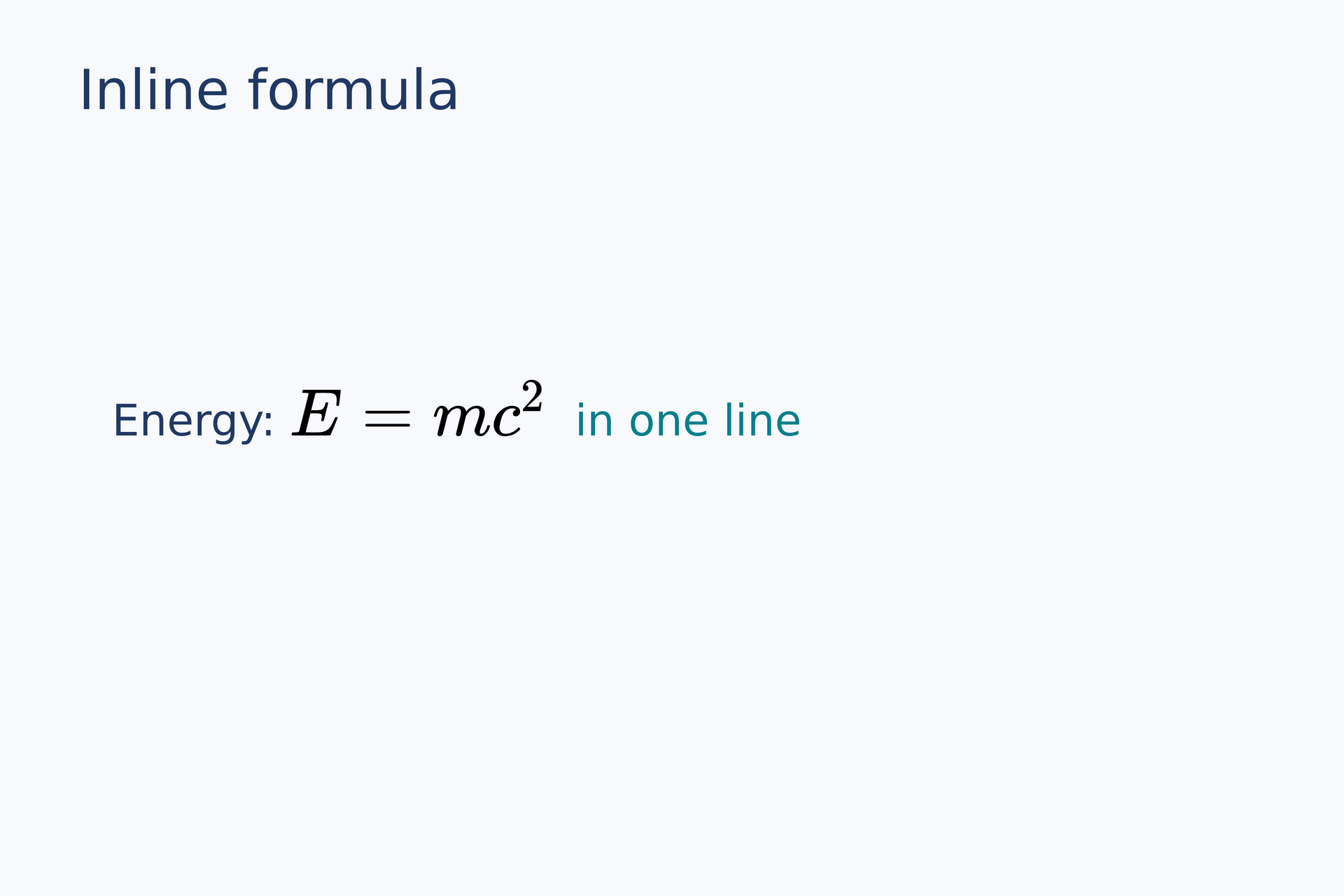
复现命令:laymesh validate examples/gallery/typography/inline-formula.lay;laymesh render examples/gallery/typography/inline-formula.lay -o inline-formula.png --dpi 150。
实测:有效:examples/gallery/typography/inline-formula.lay(120 × 80 mm,2 个顶层实例);PNG 709 × 472 px,150 DPI;警告:无。
独立公式#
独立公式按页面中心锚点放置,PDF 保留原始 LaTeX 源码。
equation = formula(source=r"\int_0^1 x^2\,dx=\frac{1}{3}", font_size=22 pt, style=display)page.add(equation, anchor=center, target=page.center)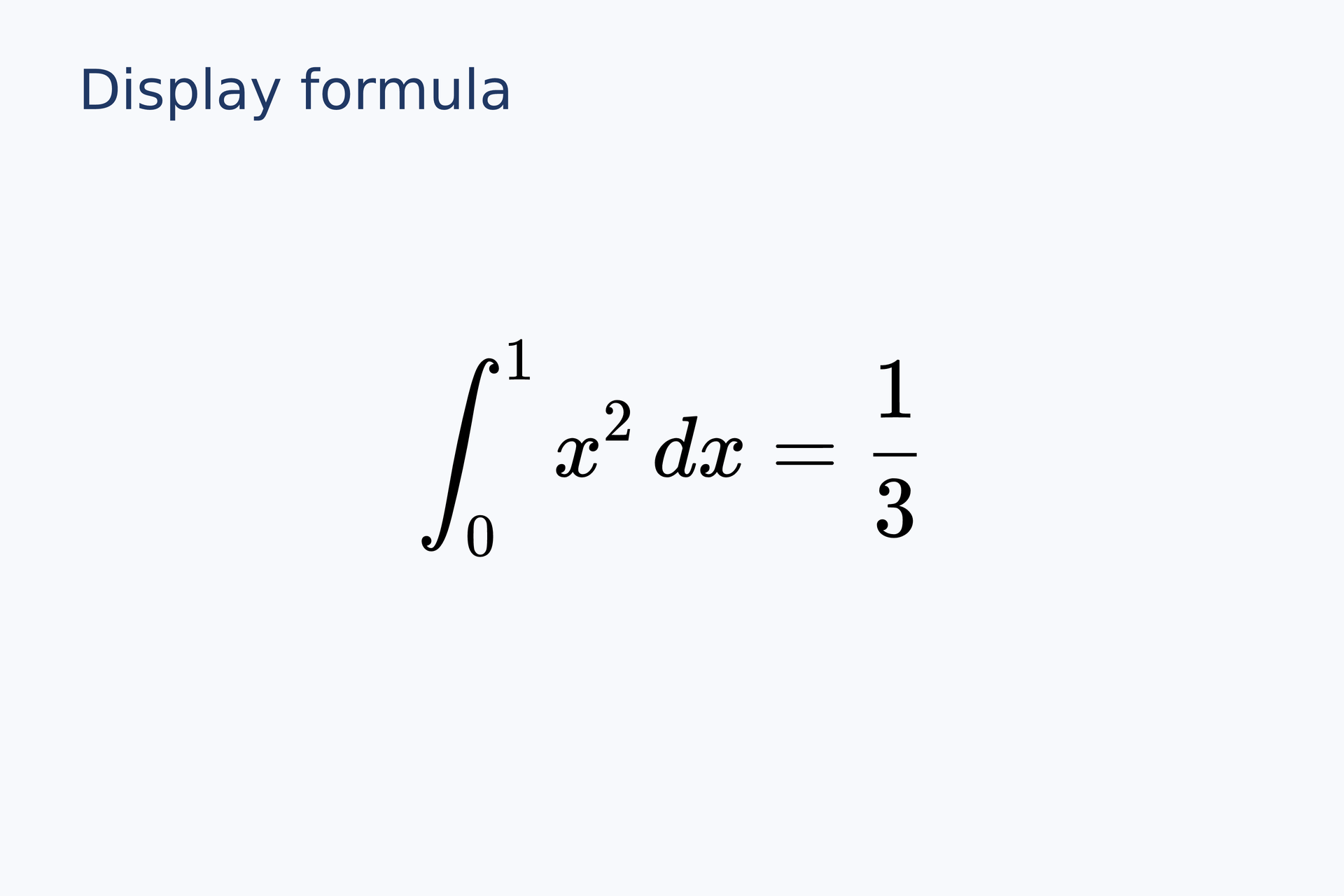
复现命令:laymesh validate examples/gallery/typography/display-formula.lay;laymesh render examples/gallery/typography/display-formula.lay -o display-formula.png --dpi 150。
实测:有效:examples/gallery/typography/display-formula.lay(120 × 80 mm,2 个顶层实例);PNG 709 × 472 px,150 DPI;警告:无。